
Layout Kept, Not Reconstructed by Hand
Tables, columns, headers, footers and images are mapped before translation and rebuilt in place afterwards. You download a finished PDF, not raw text to reformat.
Upload a PDF and choose the translation language. Review page layout and text in the translated document before sharing.
Translation example
Seven pages of Oscar Wilde's "The Selfish Giant" (1888, public domain) set as a small book with a title block, justified paragraphs, a framed notice and page numbers. The Spanish pages keep the layout; accents, ¿ ¡ and dialogue dashes are drawn with an embedded font.
Source
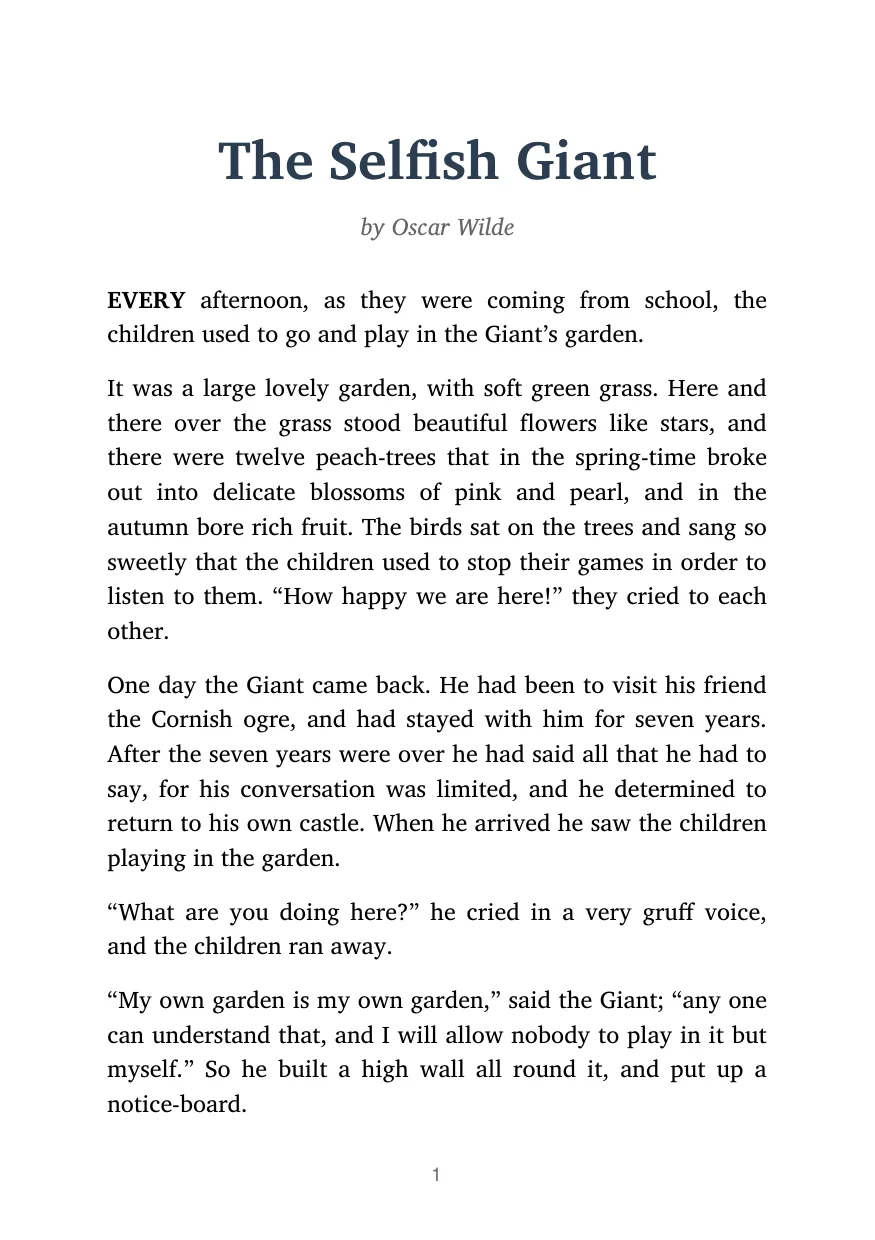
Result
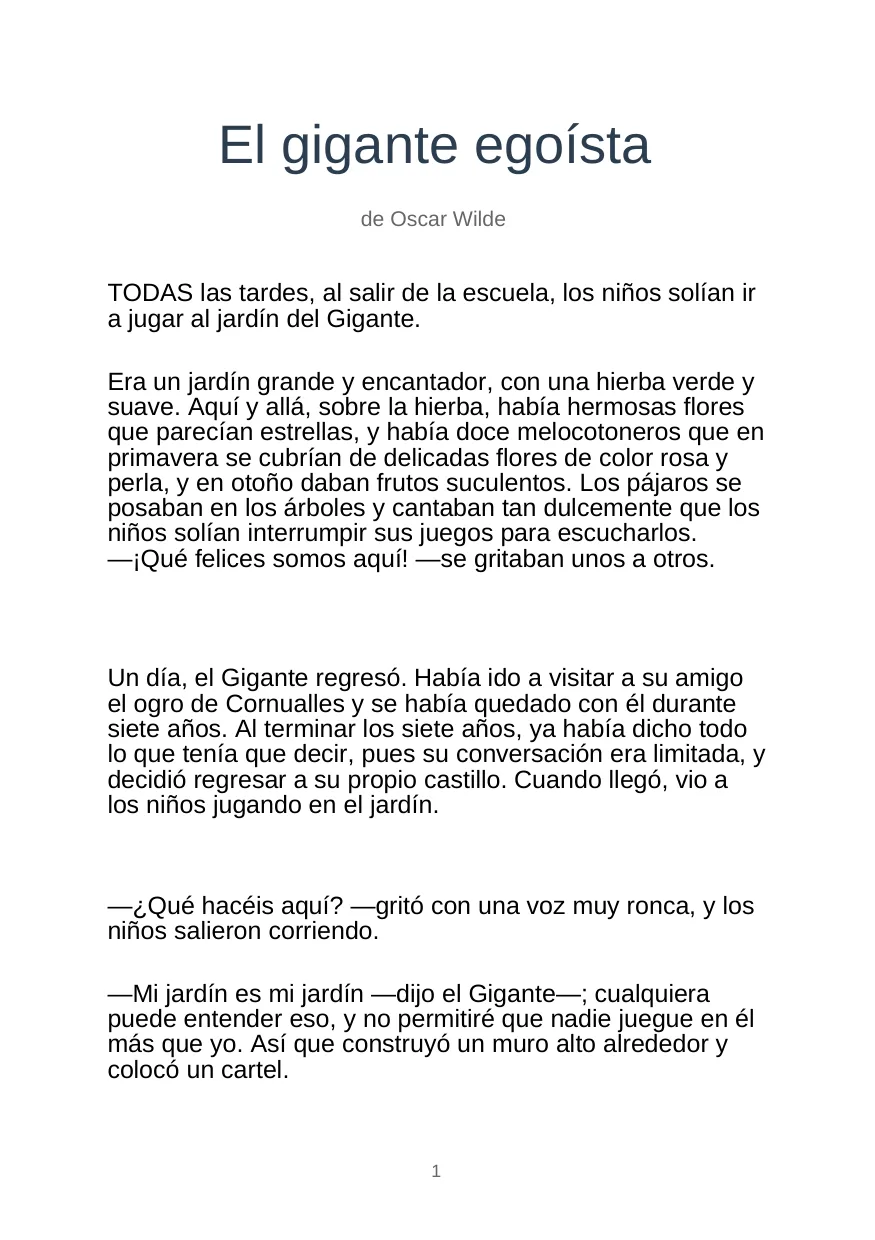
Source
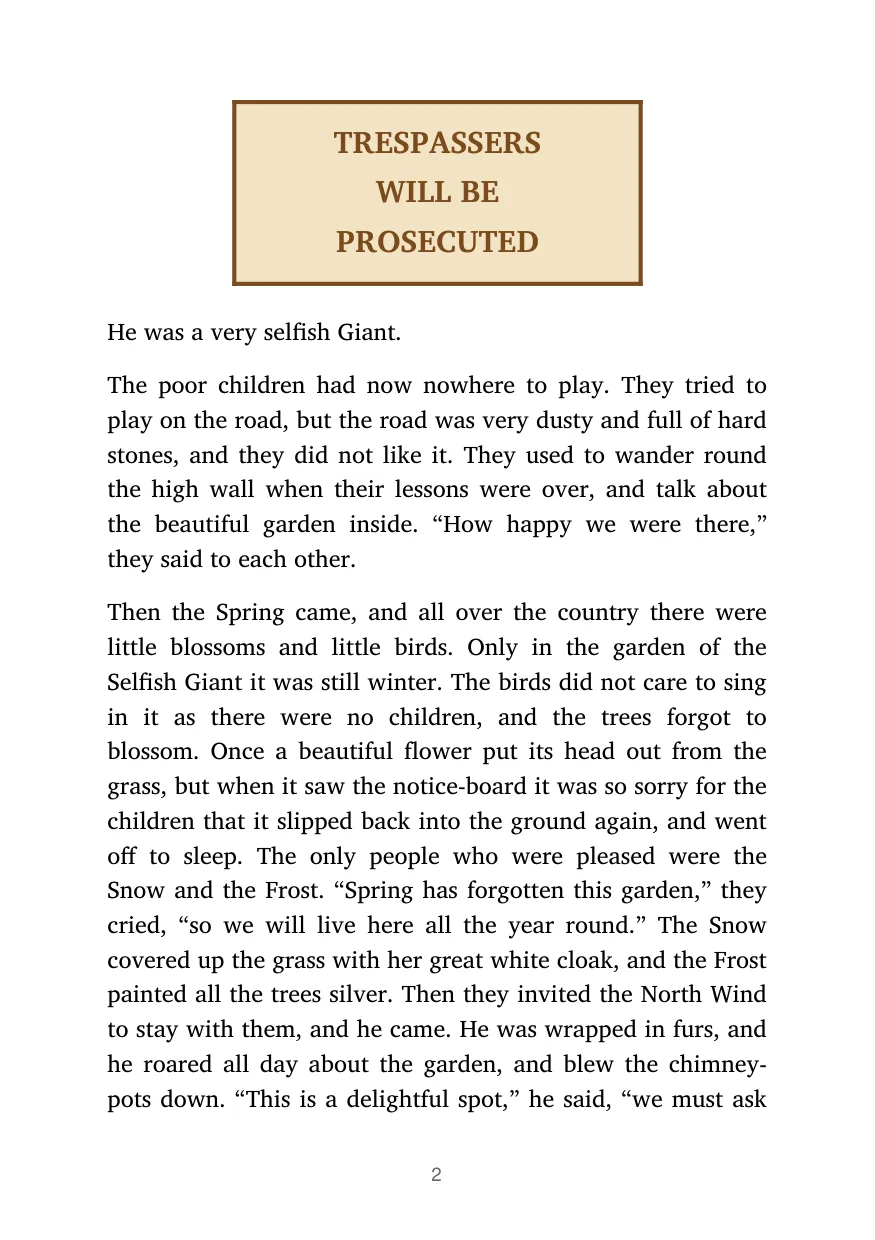
Result
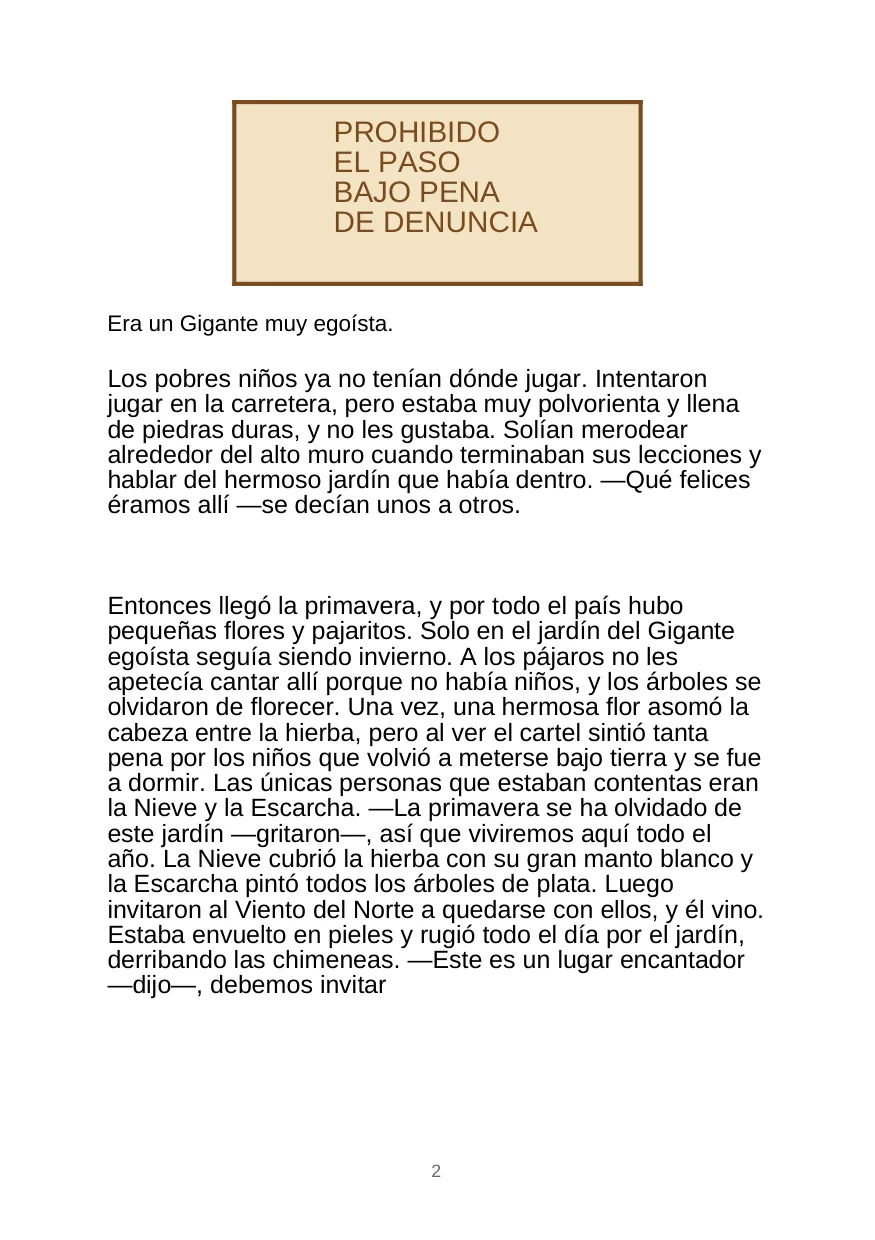
Accents, ¿ ¡ and dialogue dashes are drawn with an embedded font.
The Spanish pages use a plain sans-serif font, and the bold first word of the story comes back as regular text.
Dialogue uses dashes on some pages and « » on others; a human editor would pick one.
2026-10-09 verified — Amanda Lee
Tables, columns, headers, footers and images are mapped before translation and rebuilt in place afterwards. You download a finished PDF, not raw text to reformat.
Image-based pages are recognised first, then translated — including multi-column scans and tables. No separate OCR step, no copy-paste.
Translate PDFs between 100+ languages, including right-to-left scripts such as Arabic and Hebrew, and Chinese, Japanese and Korean.
Uploads are encrypted in transit and at rest. How long they are kept depends on your plan.
PDF is a page-oriented format that can contain text and images, as described by the Library of Congress. If you have the original Word document and need to edit the translation, choose the DOCX workflow. Keep the original file for comparison.
Compare the translated PDF with the original page by page. Check names, numbers, table text and line breaks. For a scan, pay particular attention to small print and characters that look alike. Review important documents before sharing.
Upload your PDF
Drag and drop the file or browse for it. The maximum file size depends on your plan.
Choose the target language
Pick from 100+ languages. The source language is detected automatically, so you only choose where the text should go.
Enable OCR for scans
If the PDF is a scan or photo-based document, switch on OCR so the text can be recognised before translation. Digital PDFs skip this step.
Download the translated PDF
The rebuilt file keeps the original page structure. Check line breaks in text-heavy sections if the document is going straight to print.
Upload the PDF and choose a target language. The engine maps every text block, table and image to its position, translates the text in context, and rebuilds the PDF so the translated version follows the original page structure.
The page structure — tables, columns, images, headers and footers — is preserved. Because translated text can be longer or shorter than the original, spacing within text blocks can shift slightly, and unusual fonts may be replaced with close equivalents. A quick review is worth it for print-ready files.
Yes. Built-in OCR recognises text on image-based pages, including multi-column scans and tables, before translation. You do not need a separate OCR tool.
More than 100 languages, including Spanish, French, German, Portuguese, Arabic, Hindi, Chinese, Japanese and Korean. Right-to-left scripts and CJK characters are supported in both source and target documents.
The maximum file size depends on your plan. For larger files or multi-book catalog translation, contact us about enterprise plans with bulk processing.
Free and paid plans are available. Paid plans add larger files, more monthly volume and API access — see the pricing page for the full comparison.
Files are encrypted in transit and at rest. How long they are kept depends on your plan.
If you have the original DOCX, upload that instead — the DOCX translation workflow returns an editable Word document, which is easier to adjust afterwards. Use PDF translation when the PDF is all you have, or when the layout must stay fixed.
Upload a PDF and choose the translation language. Review page layout and text in the translated document before sharing.