
Rich Text Preservation
Every font, color, style, and paragraph format stays exactly as in the original. Your translated RTF is ready to use in any word processor.
Upload any RTF file and get an accurate translation in 100+ languages. Fonts, styles, tables, and colors - all preserved. Export as RTF or DOCX.
Translation example
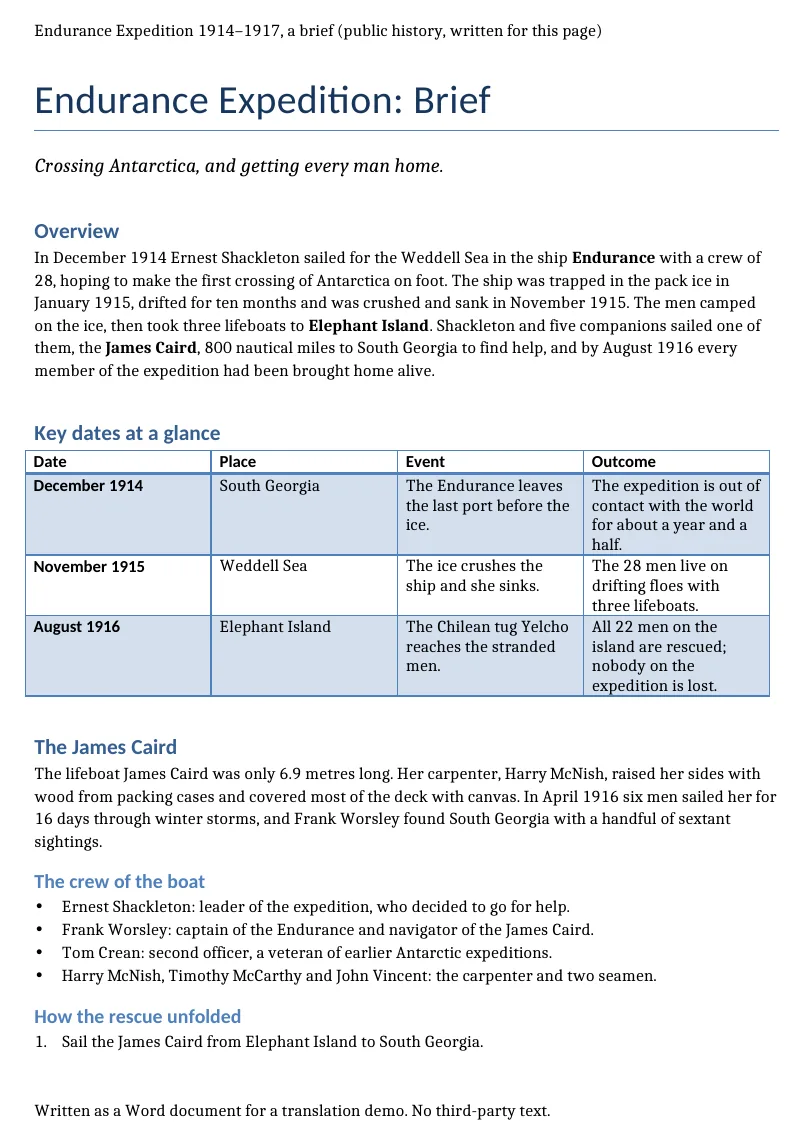
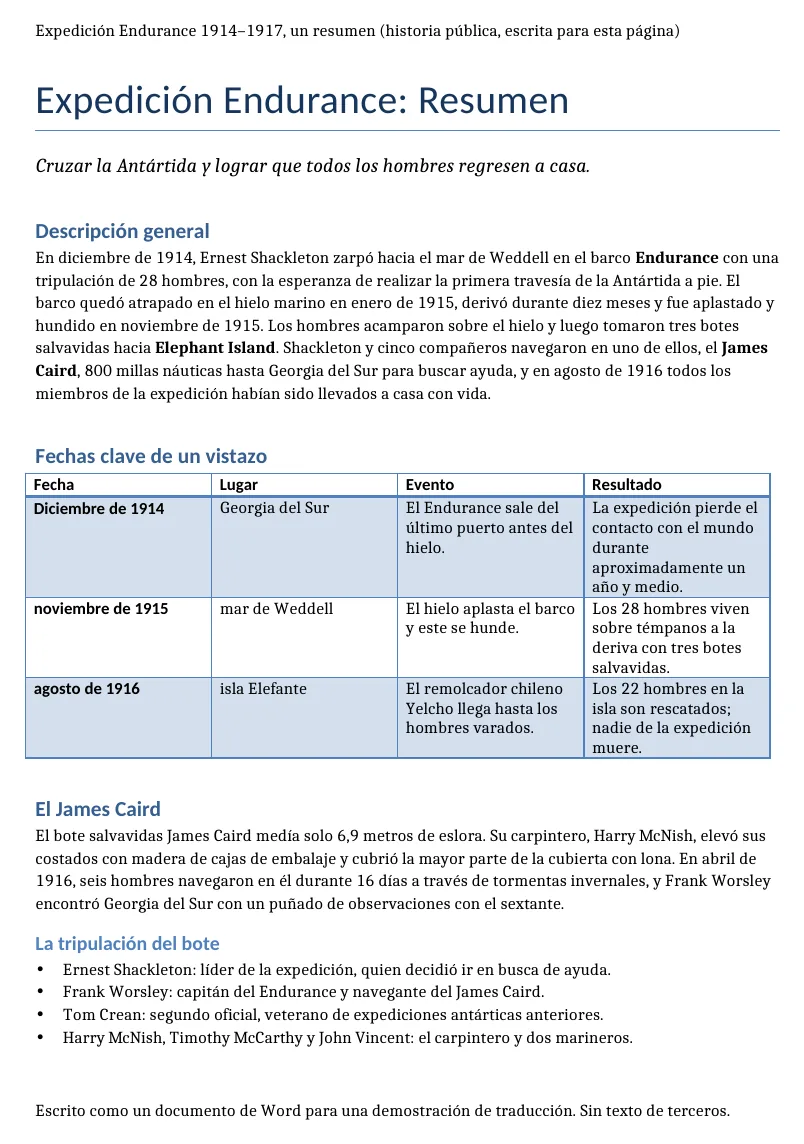
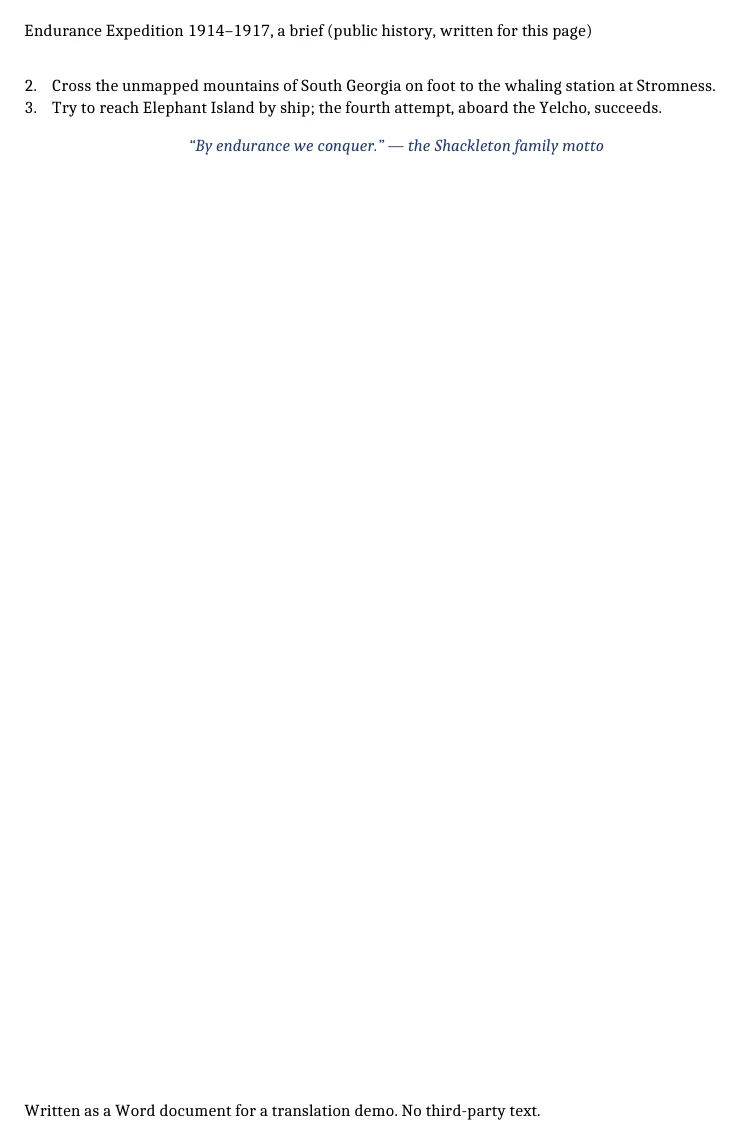
A short brief on Shackleton's Endurance expedition (1914–1917), written for this page and saved as RTF: headings, a shaded table, bold text, lists, a header and a footer. The file comes back as RTF. The counts below come from the two files.
Source
Result
Source
Result
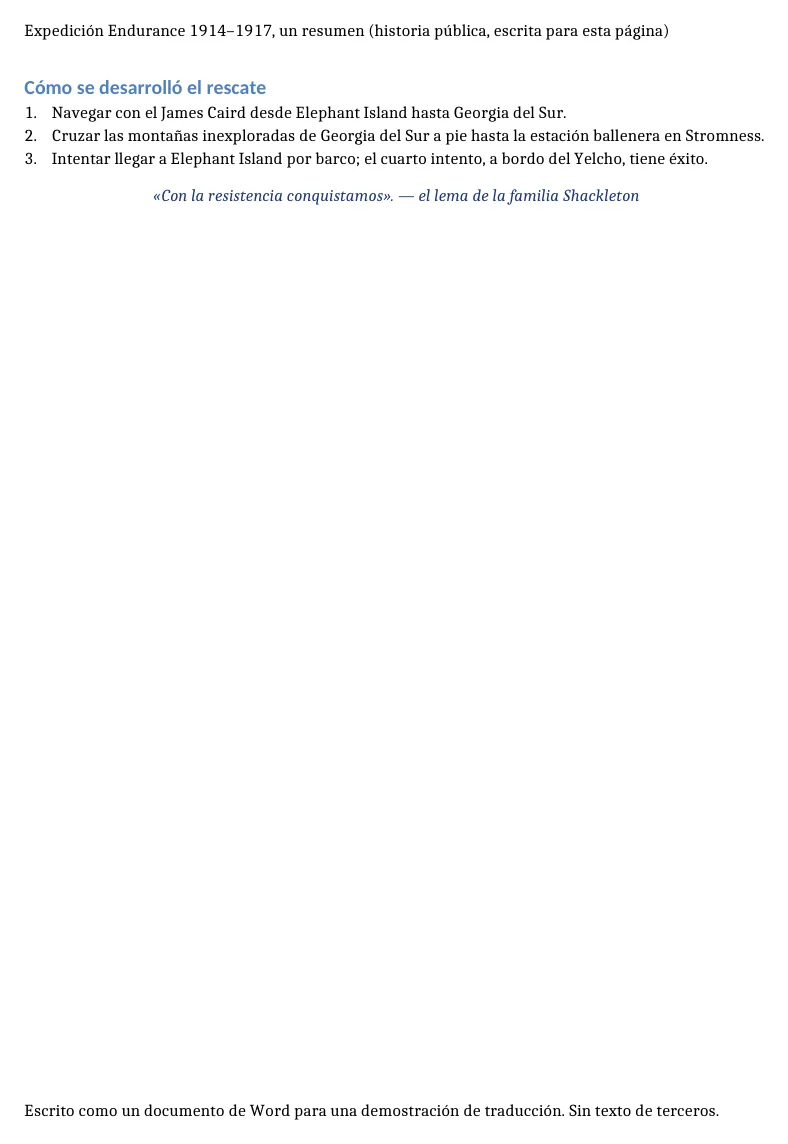
An RTF goes in and an RTF comes out, with the same fonts, table and header.
\lang 1033 (English) → 3082 (Spanish), so a word processor checks the spelling in Spanish.
“Elephant Island” stays in English in the text but becomes “isla Elefante” in the table, and “Weddell Sea” is lower-cased. Pin names like this with a glossary.
2026-10-09 verified — Amanda Lee
Every font, color, style, and paragraph format stays exactly as in the original. Your translated RTF is ready to use in any word processor.
Translated RTF files open correctly in Microsoft Word, LibreOffice, WordPad, Google Docs, and any RTF-compatible editor on any platform.
Most RTF files are translated in seconds. Lightweight format means faster processing and smaller file sizes.
Translate RTF files between 100+ languages including Spanish, French, German, Arabic, Chinese, Japanese, and Korean.
Need to translate an RTF file without losing fonts, styles, or formatting? ForgeFile is an AI-powered Rich Text Format translator that converts your RTF documents into 100+ languages while preserving every font, color, table, and paragraph style. Whether it's a formatted letter, a legacy contract, or a styled report, your translated RTF file looks exactly like the original.
Our translation engine parses RTF markup natively. When you translate an RTF file, ForgeFile:
The result is a clean, lightweight RTF file you can open in any word processor - no broken formatting, no manual fixes.
RTF is the universal rich text exchange format. ForgeFile preserves everything that makes RTF the go-to format for cross-platform document sharing:
Translated files open correctly in Microsoft Word, LibreOffice, WordPad, Google Docs, and any RTF-compatible editor.
RTF remains essential for organizations that need format-safe, cross-platform documents:
Bulk translation and API access are available for teams processing high volumes. All files are encrypted in transit and at rest - fully GDPR-compliant.
RTF's format history and structure are documented by the Library of Congress's digital format sustainability project.
Upload Your RTF File
Drag and drop your . rtf file, or browse to select it. The maximum file size depends on your plan.
Select Source & Target Language
Choose from 100+ languages. ForgeFile auto-detects the source language, so you can jump straight to selecting your target.
Configure Translation Settings
Choose output format - keep as RTF or convert to DOCX for modern editing. Select whether to preserve headers and footers.
Download Your Translated Document
Your translated RTF file is ready in seconds. All fonts, styles, colors, and tables are preserved - download and use immediately.
Upload your RTF file to ForgeFile, select your target language, and click Translate. Our AI translates the text while preserving all fonts, styles, colors, and formatting - typically in seconds.
Absolutely. ForgeFile preserves all font families, sizes, bold, italic, underline, colors, and paragraph styles exactly as in the original RTF file.
Yes. ForgeFile can output your translation as RTF or convert it to DOCX - giving you flexibility for modern editing and sharing workflows.
Yes. All tables, numbered lists, bullet points, and nested formatting are fully preserved during translation.
RTF is a universal format. Translated files open correctly in Microsoft Word, LibreOffice, WordPad, Google Docs, Apple Pages, and any RTF-compatible editor.
For larger files or bulk translation needs, contact us about enterprise plans with higher limits and API access. The maximum file size depends on your plan.
Files are encrypted in transit and at rest. How long they are kept depends on your plan.
RTF is a lightweight, universally compatible format that works across all operating systems and word processors. It is ideal for cross-platform sharing, legacy archives, and legal workflows where format portability matters.
Upload your RTF file and get professional-quality translation in minutes. Formatting preserved, every time.