
Advanced OCR Recognition
AI-powered optical character recognition detects printed text, handwriting, varied fonts, and rotated or skewed content in any image.
Upload any image and extract translated text in 100+ languages. Photos, scans, screenshots, and documents - OCR-powered recognition with AI translation.
Translation example
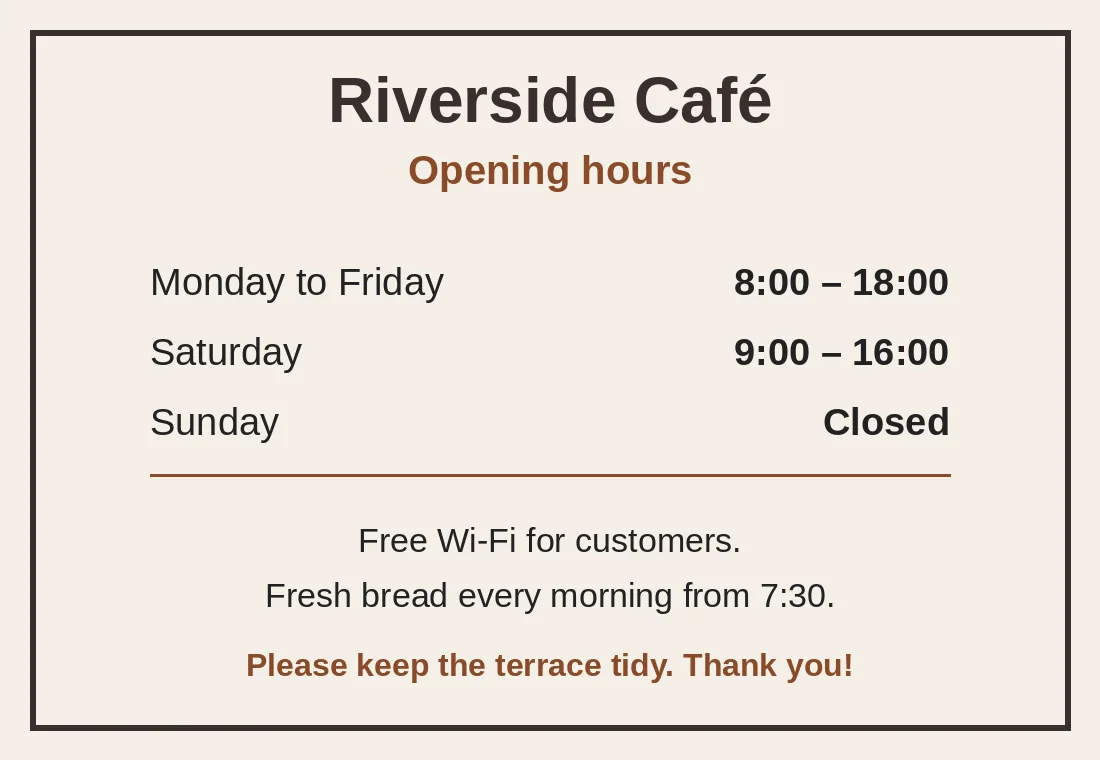
A notice board image made for this page, with a name, a heading, opening hours and three lines of text. The text is read by ForgeFile’s own OCR, translated, painted over and set back in the same place. To check it, the result was read again by the same OCR and compared line by line.
Source
Result
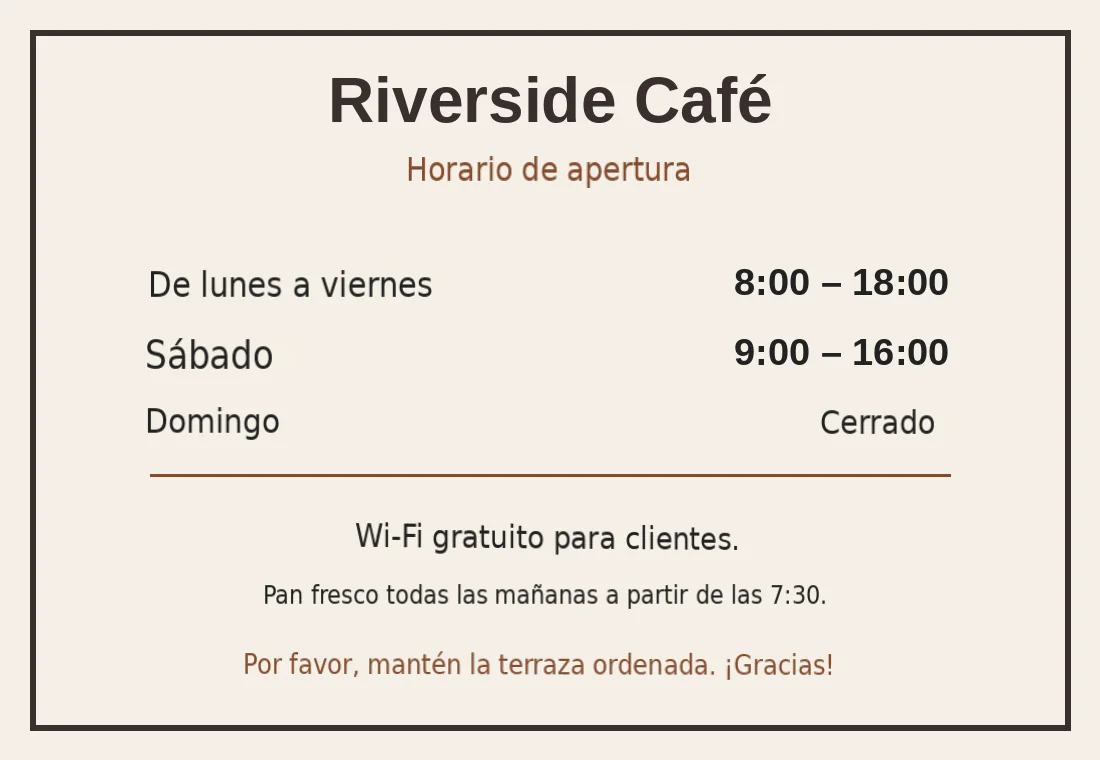
The result was read again with the same OCR: 11 text lines, the same as in the original, in the same order.
8:00 – 18:00 and 9:00 – 16:00 read back exactly; 7:30 inside the bread line too.
“Riverside Café” was recognised as a business name and left as it was.
Same pixel size; every line sits where the English line was.
Fonts and line sizes are close but not identical, and faint lighter patches remain where the old text was painted out. Check the picture before you publish it.
The comparison above used ForgeFile’s own OCR. A Spanish reader has not checked the picture.
2026-10-08 verified — Amanda Lee
AI-powered optical character recognition detects printed text, handwriting, varied fonts, and rotated or skewed content in any image.
Get results as copyable text, searchable PDF, or editable DOCX. Choose the format that fits your workflow.
Cloud-based AI handles high-resolution scans and multi-page documents.
Translate text in images between 100+ languages including Spanish, French, German, Arabic, Chinese, Japanese, and Korean.
Need to translate text in an image without retyping it manually? ForgeFile combines advanced OCR (optical character recognition) with AI translation to extract and translate text from any image in 100+ languages. Whether it's a scanned contract, a photo of a street sign, or a screenshot of a foreign website, ForgeFile reads the text and delivers an accurate translation in seconds.
Our translation engine combines two technologies. When you translate an image, ForgeFile:
The result is accurate translated text you can copy, download, or integrate into your workflow - no manual retyping needed.
ForgeFile processes the image formats professionals use every day:
ForgeFile handles the image translation tasks professionals encounter daily:
Bulk translation is available for large document scanning projects. All files are encrypted in transit and at rest - fully GDPR-compliant.
To see how OCR engines recognize text in images, see the open-source Tesseract OCR documentation.
Upload Your Image
Drag and drop your photo, screenshot, or scan. We support JPG, PNG, TIFF, BMP, and WebP files of any resolution.
Select Source & Target Language
Choose from 100+ languages, or use auto-detect to let ForgeFile identify the source language from the image text.
Configure Export Settings
Choose your output format - copyable text, searchable PDF, or editable DOCX. Select whether to preserve detected layout structure.
Download Your Translation
Your translated text is ready in seconds. Copy it directly, or download as PDF or DOCX for sharing and archiving.
Upload your image (JPG, PNG, TIFF, or BMP) to ForgeFile, select your target language, and click Translate. Our OCR extracts the text and AI translates it.
ForgeFile supports JPG, JPEG, PNG, TIFF, BMP, and WebP. High-resolution scans and camera photos are processed with equal accuracy.
Yes. Our OCR engine recognizes many handwriting styles, though accuracy is highest with clear, legible handwriting. Printed text achieves the best results.
Yes. ForgeFile offers three output options - copyable text, searchable PDF, and editable DOCX. Choose the format that fits your workflow.
Yes. ForgeFile auto-detects text regions, language, and reading direction. No manual selection or cropping is needed.
Yes. Upload multi-page TIFF files or process multiple images in batch for large scanning projects.
Files are encrypted in transit and at rest. How long they are kept depends on your plan.
Image translation uses OCR to extract text from photos and scans. PDF translation works with the document's embedded text layer directly. For scanned PDFs (image-only), ForgeFile applies OCR automatically.
Upload your photo, scan, or screenshot and get translated text in seconds. OCR-powered, 100+ languages, export as PDF or DOCX.