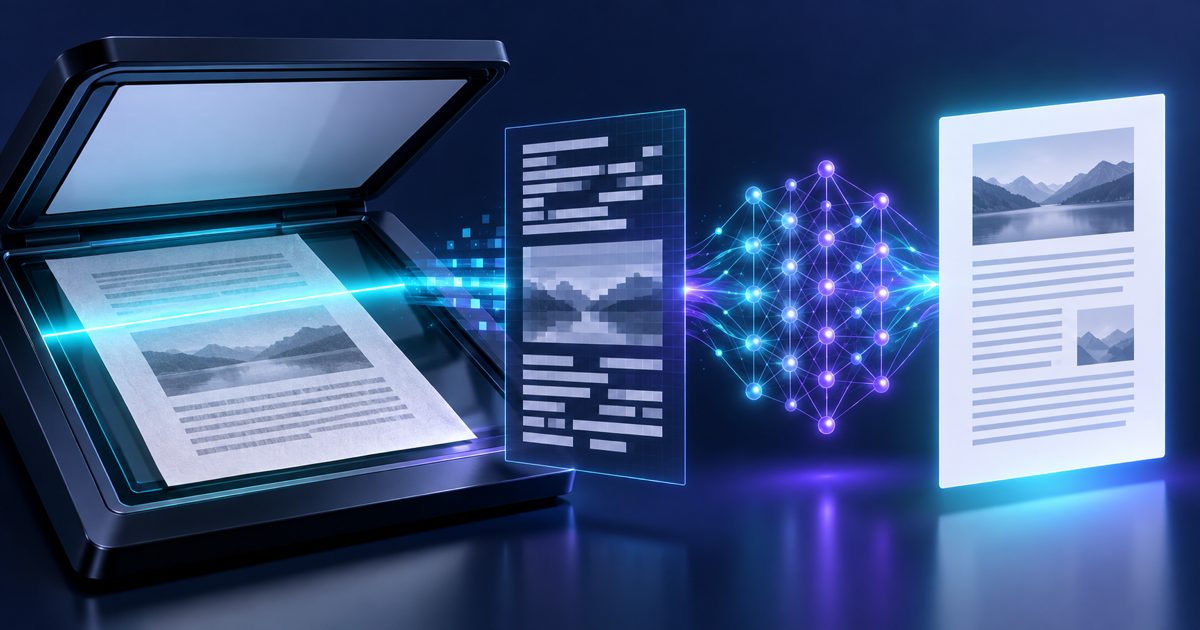
When you scan a paper document and save it as a PDF, the file contains only an image of the page — not selectable, copyable text. Regular translation tools fail completely because there is nothing to translate: the text exists only as pixels.
This affects a huge range of documents: notarized contracts, government-issued certificates, historical records, fax printouts, and any document that arrived as a physical paper and was then digitized. In 2026, scanned documents still represent a significant share of the files businesses need to translate.
How OCR + AI Translation Works
The solution is a two-step pipeline: Optical Character Recognition (OCR) followed by neural machine translation.
OCR analysis — the engine scans each page pixel by pixel, identifies character shapes, and reconstructs the text layer. Modern OCR handles 100+ scripts including Latin, Arabic, Cyrillic, CJK (Chinese, Japanese, Korean), Devanagari, and more.
Layout detection — columns, tables, headers, and footers are identified and mapped so that the translated output can be placed back into the same zones.
Text extraction — the reconstructed text is cleaned: hyphenation artefacts, line-break noise, and scanning imperfections are corrected before translation.
AI translation — the clean text is passed to a neural translation model fine-tuned for document context, preserving paragraph and sentence boundaries.
Format reconstruction — the translated text is laid out in the original document structure and exported as a PDF.
Image Quality Requirements
OCR accuracy depends directly on scan quality. These conditions produce the best results:
Resolution — 300 DPI or higher. 150 DPI is passable for large print; below 100 DPI accuracy drops sharply.
Orientation — pages should be straight. Auto-deskew corrects up to ~10° of tilt but larger skews degrade results.
Contrast — dark text on a light background. Faded ink, coloured paper backgrounds, or watermarks reduce accuracy.
No handwriting — printed text is recognized with high accuracy; handwritten annotations are extracted where legible but flagged as uncertain.
File format — PDF, JPG, PNG, and TIFF are all accepted. Multi-page PDFs are processed page by page.
100+OCR Scripts
100+Target Languages
300DPI Recommended
Step-by-Step: Translate Your Scanned PDF
Upload the scanned PDF — drag and drop or paste a file URL. The system detects automatically that it is a scanned (image-based) document.
Select source language (optional) — auto-detect works for most common scripts. Set it manually for rare languages or mixed-script documents.
Select target language — 100+ languages available.
OCR runs first — text is extracted and a preview of the recognized content is shown. Spot-check for obvious errors before proceeding.
AI translation runs — the extracted text is translated with full document context preserved.
Download translated PDF — the output file has the same page dimensions and column layout as the original scan.
Common Scanned Document Types
Notarized contracts — signed and stamped documents that cannot be re-typed without losing authenticity
Government-issued certificates — birth, marriage, academic, and professional certificates from official bodies
Court records and legal filings — historical case files, archived judgments
Medical records — patient files, lab reports, referral letters from older healthcare systems
Financial statements — legacy bank statements, audit reports printed before digital archiving
Technical manuals — product documentation from manufacturers that shipped only print copies
What if the scanned document is upside down or rotated?
The OCR engine applies automatic orientation detection and corrects 0°, 90°, 180°, and 270° rotation. Moderate skew (under 10°) is also corrected automatically. For heavily skewed pages, pre-processing the scan in any PDF viewer before uploading will give better results.
Can it handle scanned documents with stamps and watermarks?
Yes. OCR filters out most standard watermarks (light diagonal text) and round stamps placed in document margins. Text overlapping directly with a dark stamp may have reduced accuracy in the affected area.
Is the original scan preserved in the output?
The output is a text-based PDF with the translated content laid out to match the original page structure. The raw scan image is not embedded — this keeps file sizes small and text searchable. If you need the scanned image alongside the translation, request a bilingual export.
Translate Your Scanned PDF Now
Upload any scanned document and let OCR + AI do the rest. No typing, no copying — just accurate translation in seconds.
The Real Challenge of Translating a Presentation
A PowerPoint presentation is more than text. Every slide is a precisel…
Amanda Lee
Ready to Process Your File?
Upload your document to start using our AI tools instantly.
Drop your file hereor click to browse from your device
Processing File...
File Ready for Processing!
Create a free account to download your results - it takes under a minute and keeps your files private to you. Free plan included, no credit card required.
We use cookies to enhance your browsing experience and analyze our traffic. By clicking "Accept All" you consent to our use of cookies.
Read our Cookie Policy
Cookie Settings
Manage your cookie preferences. You can enable or disable different types of cookies below.