
Code Block Protection
Fenced code blocks, inline code, and language identifiers are never translated or modified. Your code examples stay exact.
Upload any Markdown file and get an accurate translation in 100+ languages. Code blocks, links, images, tables, and syntax - all preserved.
Translation example
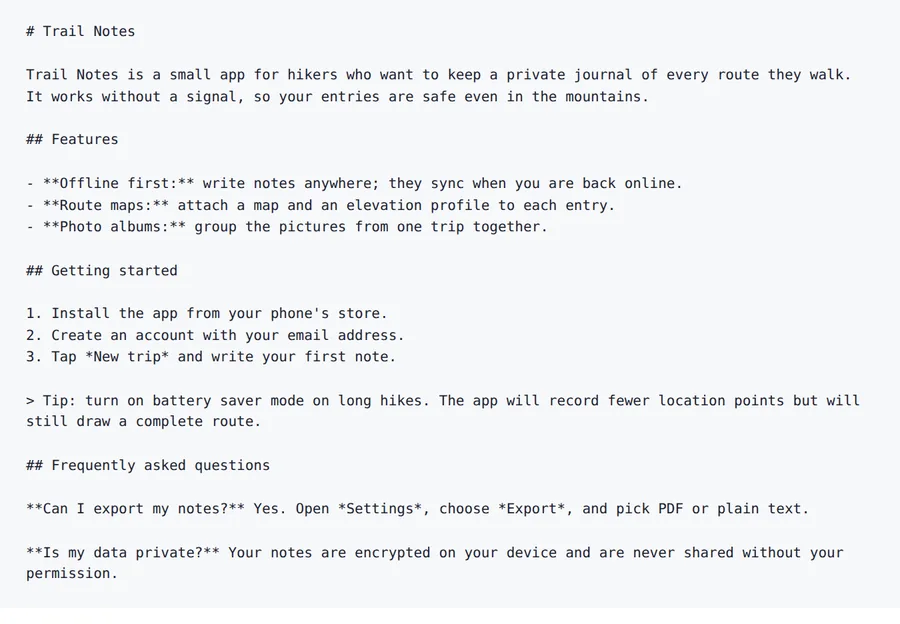
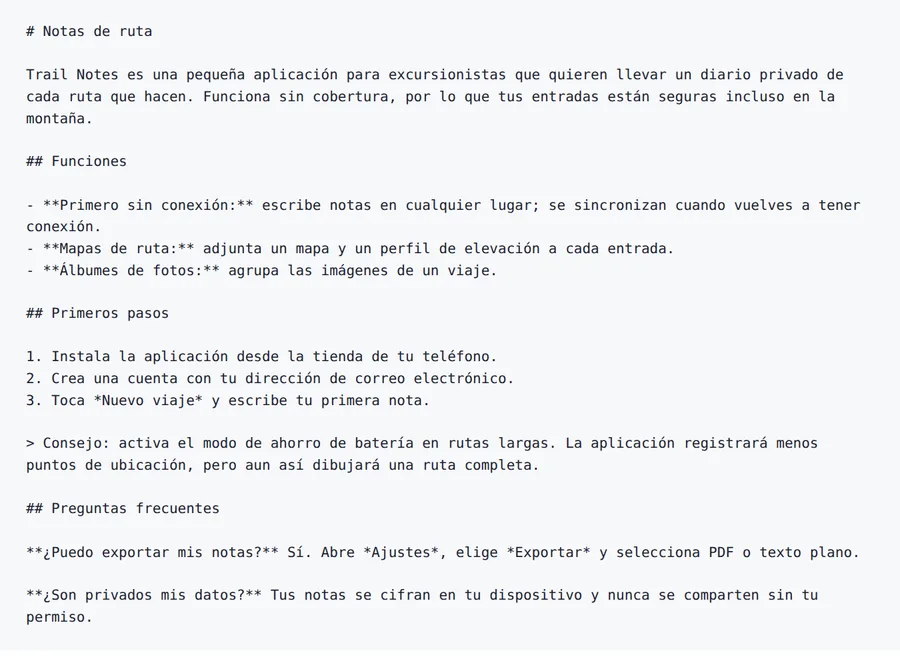
A short project README with headings, bold and italic text, a numbered list and a quote, written for this page. The markers stay where they were.
Source
Result
2026-10-08 verified — Amanda Lee
Fenced code blocks, inline code, and language identifiers are never translated or modified. Your code examples stay exact.
All URLs, anchor links, image references, and cross-document links stay functional in the translated file.
Most Markdown files are translated in under a minute. Cloud-based AI handles long documentation files and entire docs directories.
Translate Markdown files between 100+ languages including Spanish, French, German, Arabic, Chinese, Japanese, and Korean.
Need to translate a Markdown file without breaking code blocks, links, or formatting? ForgeFile is an AI-powered Markdown translator that converts your documentation into 100+ languages while preserving every code fence, inline code snippet, link, image reference, and heading structure. Whether it's a README, an API guide, or a docs site, your translated Markdown is ready for GitHub, GitLab, or any static site generator.
Our translation engine understands Markdown syntax natively. When you translate an MD file, ForgeFile:
The result is a valid Markdown file you can commit directly to your repo - no broken links, no corrupted code fences, no mangled syntax.
Unlike generic text translators, ForgeFile protects everything developers care about:
ForgeFile handles the Markdown files technical teams create every day:
Batch translation is available for entire documentation directories. All files are encrypted in transit and at rest - fully GDPR-compliant.
Markdown syntax is formally defined by the CommonMark specification.
Upload Your Markdown File
Drag and drop your .md file, or browse to select it. We support README files, documentation, and blog posts.
Select Source & Target Language
Choose from 100+ languages. ForgeFile auto-detects the source language and understands technical writing context.
Configure Translation Settings
Choose whether to translate YAML/TOML frontmatter fields. Select which metadata keys to include or exclude.
Download Your Translated Markdown
Your translated Markdown is ready in minutes. All code blocks, links, and syntax are preserved - commit directly to your repo.
Upload your .md file to ForgeFile, select your target language, and click Translate. Our AI translates prose content while preserving code blocks, links, and Markdown syntax - typically in under a minute.
Absolutely. Fenced code blocks (``` and ~~~), their language identifiers, and inline `backtick` code are never translated or modified.
Yes. All URLs, anchor links, image paths, and cross-document references remain fully functional in the translated file.
Yes. ForgeFile detects YAML and TOML frontmatter and handles it separately. You can choose which metadata fields to translate (title, description) and which to skip (date, tags).
Yes. ForgeFile supports batch processing - upload multiple Markdown files for a docs site, wiki, or open-source project and translate them all in one operation.
Yes. ForgeFile handles the Markdown conventions used by Hugo, Jekyll, Docusaurus, MkDocs, and other static site generators - including frontmatter and shortcodes.
Files are encrypted in transit and at rest. How long they are kept depends on your plan.
Markdown uses lightweight syntax (# headings, **bold**, [links]) while HTML uses tags. ForgeFile handles both natively - preserving code blocks for Markdown and DOM structure for HTML.
Upload your Markdown file and get code-safe translated output in minutes. Links, code blocks, and syntax preserved, every time.