
Key & Structure Preservation
Keys are never translated or modified. Every nested object, array, and value type stays exactly as in the original. Your JSON remains valid and production-ready.
Upload any JSON file and get an accurate translation in 100+ languages. Keys, placeholders, arrays, and nested objects - all preserved. Production-ready output.
Translation example
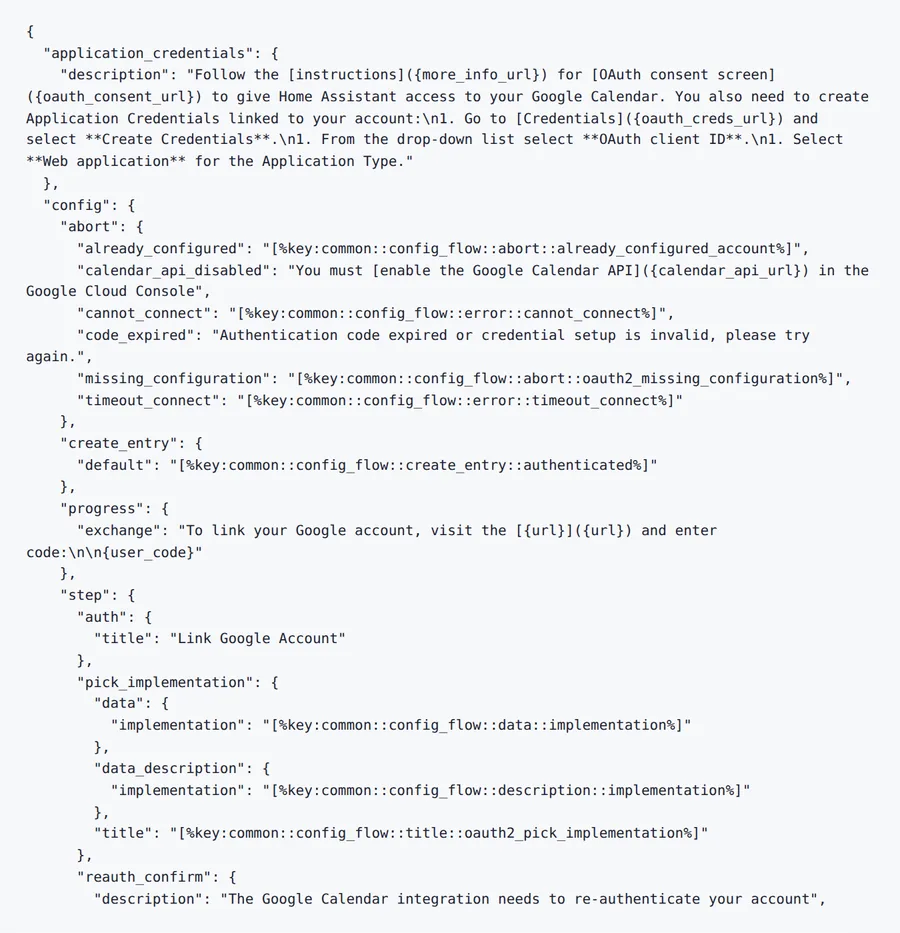
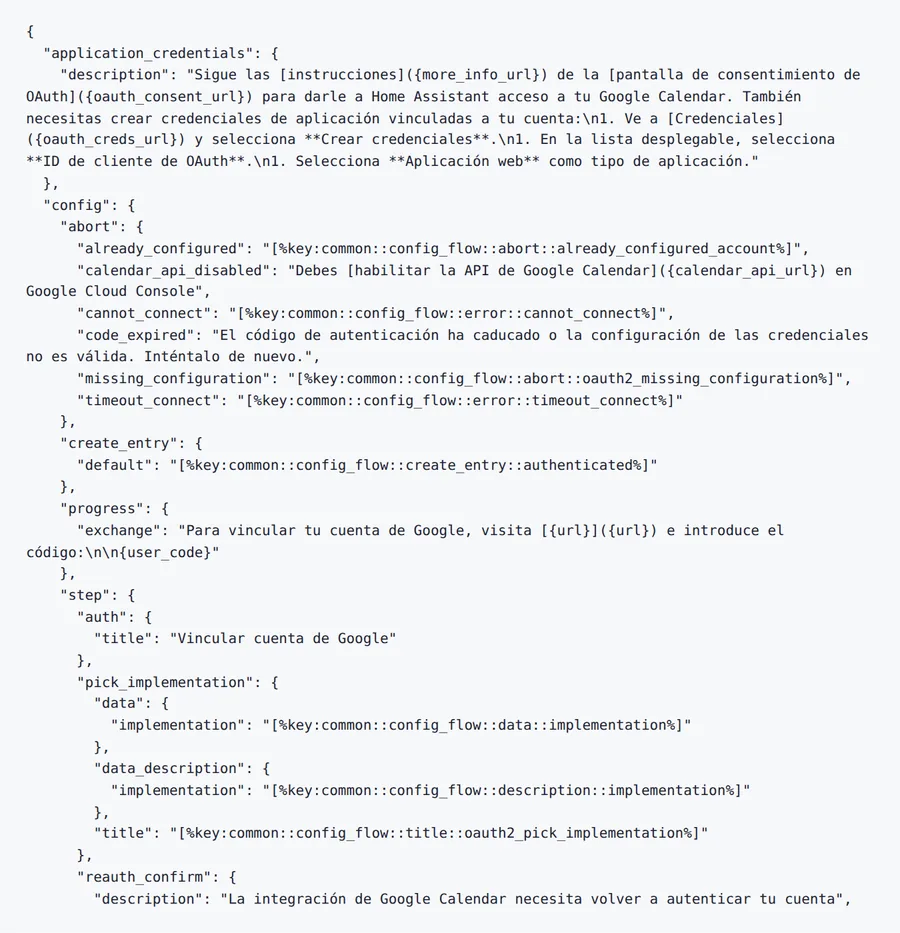
The first 34 lines of Home Assistant's Google Calendar strings (Apache-2.0). Keys, {placeholders} and [%key:…] references come back exactly; only the sentences change.
Source
Result
2026-10-08 verified — Amanda Lee
Keys are never translated or modified. Every nested object, array, and value type stays exactly as in the original. Your JSON remains valid and production-ready.
Variables like {name}, {{count}}, %s, and ICU patterns are detected and preserved.
Most JSON files are translated in seconds. Cloud-based AI handles even large config files and deeply nested structures.
Translate JSON files between 100+ languages including Spanish, French, German, Arabic, Chinese, Japanese, and Korean.
Need to translate a JSON file without breaking your app's data structure? ForgeFile is an AI-powered JSON translator that converts your localization files into 100+ languages while preserving every key, placeholder, array, and nested object. Whether it's i18n strings, API responses, or config data, your translated JSON is valid, diff-friendly, and ready for production.
Our translation engine understands JSON semantics. When you translate a JSON file, ForgeFile:
The result is a valid JSON file you can drop directly into your project - no broken syntax, no missing keys, no corrupted placeholders.
ForgeFile is built for developer workflows:
ForgeFile handles the JSON files development teams work with every day:
Bulk translation and API access are available for CI/CD pipeline integration. All files are encrypted in transit and at rest - fully GDPR-compliant.
The JSON format's grammar is defined in RFC 8259.
Upload Your JSON File
Drag and drop your . json file, or browse to select it. The maximum file size depends on your plan.
Select Source & Target Language
Choose from 100+ languages. ForgeFile auto-detects the source language and understands app UI context for natural translations.
Configure Translation Settings
Choose which keys to translate and which to skip. Select output formatting (minified or pretty-printed) for your workflow.
Download Your Translated JSON
Your translated JSON is ready in seconds. All keys, placeholders, and nesting are preserved - drop it into your project and deploy.
Upload your JSON file to ForgeFile, select your target language, and click Translate. Our AI translates string values while preserving all keys, placeholders, and structure - typically in seconds.
No. ForgeFile translates only string values. Keys are never modified, renamed, or reordered. Your translation file maps 1:1 with the original.
Absolutely. ForgeFile detects and protects placeholders like {name}, {{count}}, %s, %d, $t() references, and ICU MessageFormat patterns.
Yes. ForgeFile handles all major i18n JSON formats including i18next, react-intl, vue-i18n, Angular i18n, and custom localization structures.
Yes. Every level of nesting, array order, and object structure is preserved exactly. The translated JSON has the same shape as the original.
For larger files or CI/CD pipeline integration, contact us about enterprise plans with API access. The maximum file size depends on your plan.
Files are encrypted in transit and at rest. How long they are kept depends on your plan.
JSON uses key-value pairs and is standard for modern web and mobile apps. XML uses tags and attributes and is common for Android and legacy systems. ForgeFile handles both natively with full structure preservation.
Upload your JSON file and get production-ready translated output in seconds. Keys, placeholders, and structure preserved, every time.