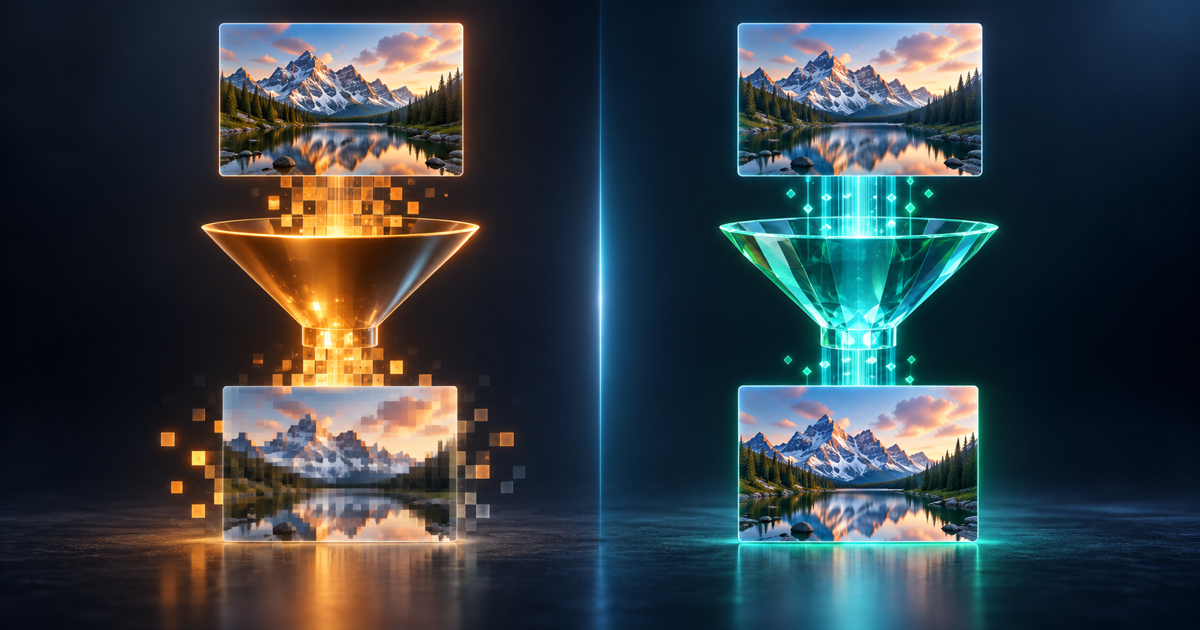
Lossy or Lossless: The Question That Decides Everything
"Convert this file" sounds like one operation, but whether it can lose quality has nothing to do with which two formats are involved and everything to do with whether either one is lossy. A lossless format stores every bit of the original information; a lossy one permanently throws some away to save space. Converting between two lossless formats — PNG to TIFF, WAV to FLAC — can be done without losing anything at all. Converting into a lossy format always loses something. Converting out of one can never get back what is already gone.
Documents: The Risk Is Structure, Not Compression
Document conversion does not lose "quality" in the lossy-compression sense — PDF and DOCX do not compress text the way JPG compresses pixels. The real risk is structural. PDF is a fixed-layout format that records exactly where every character sits on the page; DOCX is a flow document that reflows around margins, fonts, and page size. Converting PDF to DOCX means reconstructing tables, columns, and headings from a format that never stored them as structure in the first place — which is why "layout preserved" is a real claim to check, not a formality. A converter that only extracts raw text produces a document that reads correctly but has lost every table and heading along the way.
- PDF to DOCX — recreates tables, headings, and multi-column layouts from a fixed-layout source
- DOCX to PDF — the safer direction; a flow document exports cleanly to a fixed layout
- PDF to TXT — deliberately gives up structure to get plain text for scripts and data pipelines
- Scanned PDF to DOCX — needs OCR first; quality depends on the scan, not the converter
Images: Once It Is a JPG, the Detail Is Already Gone
JPG is lossy by design — it discards image data a viewer is unlikely to notice, permanently, every time the file is saved. PNG, TIFF, and WebP's lossless mode keep every pixel. This creates a one-way street that trips people up constantly: converting a JPG to PNG does not restore anything. It just stores the already-degraded JPG data losslessly from that point forward — a bigger file with the exact same compression artifacts, not a quality upgrade. The only way to get a genuinely lossless image is to start from a lossless, or uncompressed, source.
| Format | Type | What happens converting into it |
|---|---|---|
| JPG | Lossy | Detail is discarded every time it is saved, even by re-saving as JPG |
| PNG | Lossless | Every pixel preserved; supports transparency |
| WebP | Both modes exist | Lossless mode keeps everything; lossy mode behaves like JPG |
| TIFF | Lossless (typically) | Common in print and archival workflows |
Audio and Video: The Codec Decides, Not the File Extension
The same lossy/lossless split governs audio. WAV and FLAC are lossless — FLAC simply compresses the lossless data losslessly, like a ZIP for audio. MP3, AAC, and OGG are lossy, and their bitrate (128, 192, or 320 kbps) controls how much detail survives. Converting FLAC to MP3 discards detail permanently; converting MP3 to WAV does not add back what was already thrown away, it just stores the lossy result uncompressed. Video adds one more wrinkle: changing the container — the file extension, like MP4 or MOV — does not necessarily touch the video data at all if the codec inside is compatible with the new container. That is a "remux," and it is genuinely lossless. Changing the actual codec is a re-encode, and any lossy video re-encode loses some quality, even a well-configured one.
From Upload to Download: What Happens During Conversion
- Upload your file — documents, images, audio, or video, individually or as a ZIP for batch conversion.
- Choose the target format from the options available for that file type.
- The converter processes the file, preserving formatting, transparency, or metadata wherever the source and target formats both support it.
- Download the result — clean output with no watermarks, or a ZIP archive if you converted a batch.
Will converting my PDF to Word lose any formatting?
No, when the converter is doing its job: tables, headings, images, and multi-column layouts are reconstructed from the PDF's fixed layout into the Word document's structure. A scanned PDF needs OCR first, and its output quality depends on the scan's resolution and clarity rather than the converter itself.
Does converting a JPG to PNG improve its quality?
No — this is one of the most common misconceptions about image conversion. JPG is lossy, so once detail is discarded it cannot be recovered by converting to a lossless format afterward. PNG will store the already-degraded image losslessly from that point on, which stops further loss but does not undo what already happened.
What is the safest way to convert audio without losing quality?
Stay lossless-to-lossless — WAV to FLAC or FLAC to WAV loses nothing. If a lossy format is unavoidable, a higher bitrate (320 kbps rather than 128) keeps more detail, though it can never fully match a lossless source.
Does batch converting change quality compared to one file at a time?
No. Each file in a batch goes through the exact same conversion pipeline as a single upload — batching only changes how many files you upload and download together, not how any individual file is processed. Upload multiple files as a ZIP, convert them in one job, and download the results as a ZIP.
What is the maximum file size for document conversion?
Up to 100 MB per document, which covers large multi-page files such as books, reports, and legal filings.
Is my file kept private during conversion?
Yes. Files are encrypted in transit and at rest, processed in an isolated environment, and permanently deleted after conversion.
Convert Without Guessing What You'll Lose
Upload a document, image, audio, or video file and convert it with the details that matter — tables, transparency, bitrate — actually preserved.
Convert a File Free